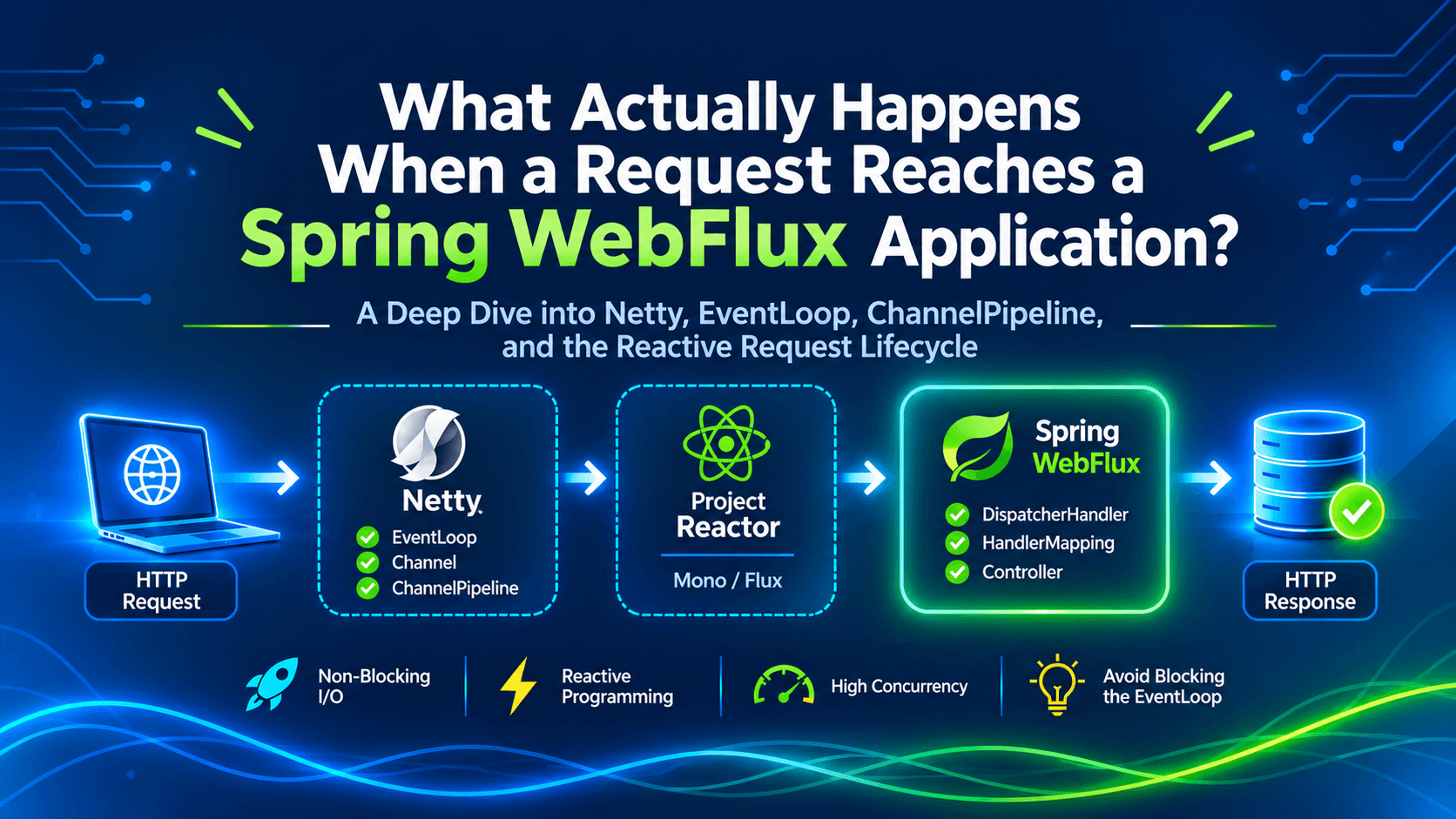
Most Spring Boot developers know how to create a REST API.
We annotate a class with @RestController, define an endpoint using @GetMapping, return a Mono or Flux, and let Spring handle the rest.
But have you ever wondered what actually happens after a client sends an HTTP request?
Who receives the request first?
How does Netty process incoming connections?
What exactly is an EventLoop?
How does Netty communicate with Project Reactor?
How does Spring WebFlux identify which controller should handle a request?
Why can calling
.block()cause serious performance problems?
Understanding these questions changes how we think about reactive applications.
Instead of treating Spring WebFlux as simply another way to build REST APIs, let's explore the internal journey of an HTTP request, starting from the network and ending with the HTTP response.
For this discussion, we'll use Java 21, Spring Boot 3.3.x, and Spring WebFlux with Reactor Netty.
1. First, Understand the Architecture#
Before diving into the implementation, let's understand the major components involved.
A typical Spring WebFlux application using Reactor Netty follows this architecture:
HTTP CLIENT
                      |
                      | HTTP Request
                      v
              +---------------+
              |   Netty       |
              | HTTP Server   |
              +---------------+
                      |
                      v
              +---------------+
              |  EventLoop    |
              |  & Channel    |
              +---------------+
                      |
                      v
              +---------------+
              | Channel       |
              | Pipeline      |
              +---------------+
                      |
                      v
              +---------------+
              | Reactor Netty |
              | HTTP Adapter   |
              +---------------+
                      |
                      v
              +---------------+
              | HttpWebHandler|
              | Adapter       |
              +---------------+
                      |
                      v
              +---------------+
              | Dispatcher    |
              | Handler       |
              +---------------+
                      |
                      v
              +---------------+
              | Controller    |
              | Handler       |
              +---------------+
                      |
                      v
              +---------------+
              | Service Layer |
              +---------------+
                      |
                      v
              +---------------+
              | Mono / Flux   |
              +---------------+
                      |
                      v
              +---------------+
              | HTTP Response |
              +---------------+
There are several components here, and each has a specific responsibility.
Component | Responsibility |
|---|---|
Netty | Handles network connections and HTTP communication |
EventLoop | Processes I/O events for registered channels |
Channel | Represents a network connection |
ChannelPipeline | Processes inbound and outbound network events |
Reactor Netty | Integrates Netty with the reactive programming model |
HttpWebHandlerAdapter | Bridges the server request to Spring WebFlux |
DispatcherHandler | Dispatches requests to the appropriate handler |
Controller | Handles application-level request logic |
Project Reactor | Manages asynchronous data processing through Mono and Flux |
Let's explore them one by one.
2. Why Does Spring WebFlux Use Netty?#
One of the biggest differences between Spring MVC and Spring WebFlux is their execution model.
Traditionally, Spring MVC runs on servlet-based servers such as Tomcat.
A typical request-processing model looks like this:
Request 1 ---> Thread 1
Request 2 ---> Thread 2
Request 3 ---> Thread 3
Request 4 ---> Thread 4
Each incoming request is typically assigned a worker thread from a thread pool.
This model works very well for many applications. However, when an application handles thousands of concurrent requests, maintaining a large number of threads can introduce overhead.
Spring WebFlux takes a different approach.
It supports a non-blocking reactive execution model and commonly uses Reactor Netty as its HTTP server.
Instead of assigning a dedicated thread to every connection, Netty uses an event-driven architecture.
This allows a relatively small number of threads to handle many concurrent connections.
Important: WebFlux is not tied exclusively to Netty. It can also run on servlet containers and other supported reactive servers. Netty is simply a common default when using Spring Boot WebFlux without another server implementation.
3. Meet Netty: The Foundation of Reactive Networking#
Netty is an asynchronous, event-driven network application framework built on Java NIO.
It provides abstractions that make it easier to build high-performance network applications without manually managing socket operations.
When a Spring Boot WebFlux application starts, Spring Boot configures an HTTP server through Reactor Netty (assuming the default server setup).
Conceptually:
Spring Boot Application
         |
         v
Spring WebFlux
         |
         v
Reactor Netty
         |
         v
Netty HTTP Server
         |
         v
Operating System Network I/O
Netty handles the lower-level networking responsibilities, including:
Accepting incoming connections.
Reading data from network sockets.
Decoding HTTP messages.
Processing network events.
Writing HTTP responses.
Spring WebFlux does not need to manage socket communication directly.
It works with higher-level abstractions provided by Reactor Netty.
This separation of responsibilities is one of the reasons the reactive ecosystem is so powerful.
4. Understanding the EventLoop#
Now comes one of the most important concepts in Netty: the EventLoop.
An EventLoop is responsible for processing I/O events associated with registered channels.
A simplified architecture looks like this:
Netty Server
                      |
              Boss EventLoop
                      |
              Accept Connections
                      |
          +-----------+-----------+
          |           |           |
          v           v           v
       Worker 1    Worker 2    Worker 3
       EventLoop   EventLoop   EventLoop
          |           |           |
          v           v           v
       Channel A  Channel B  Channel C
       Channel B  Channel C  Channel D
This is a conceptual representation. In a real Netty server, an EventLoopGroup manages EventLoops, and each EventLoop can process multiple registered channels.
Let's understand what happens.
Step 1: Accepting a connection
A client establishes a TCP connection with the server.
Netty's server-side acceptor infrastructure accepts the connection and registers the resulting channel with a worker EventLoop.
Step 2: Registering the channel
The channel is associated with an EventLoop.
That EventLoop will process its I/O events, such as incoming data and write readiness.
Step 3: Processing events
When data becomes available on a socket, the operating system notifies the networking infrastructure.
Netty detects the event and processes it through the corresponding EventLoop.
Step 4: Returning to the event loop
After processing the available event, the EventLoop continues handling other registered channels and scheduled tasks.
The important observation is that one EventLoop can manage multiple connections.
For example:
EventLoop-1
    |
    |---- Connection A
    |---- Connection B
    |---- Connection C
    |---- Connection D
    |
    v
Processes available I/O events
This is fundamentally different from the idea of dedicating one thread to every connection.
Why does this matter?#
Imagine an application receiving 10,000 concurrent connections.
In a traditional thread-per-request model, a large number of worker threads may be needed to handle concurrent requests.
With Netty, a much smaller number of EventLoop threads can manage many connections, provided the application does not block those threads.
This brings us to an important rule:
Never perform long-running blocking operations on a Netty EventLoop thread.
We'll understand why later.
5. What Is a Channel?#
In Netty, a Channel represents an active network connection or communication endpoint.
Think of it as the abstraction through which Netty reads and writes data.
When a client connects to a server, Netty creates a channel representing that connection.
The channel provides operations such as:
channel.read();
channel.writeAndFlush(response);
channel.close();
These are illustrative Netty operations, not code that we normally write inside a Spring WebFlux controller.
A channel is associated with an EventLoop and has a ChannelPipeline.
This brings us to another important Netty concept.
6. Understanding ChannelPipeline#
A ChannelPipeline is a chain of handlers responsible for processing inbound and outbound events.
Think of it as a processing pipeline through which network data travels.
For example:
Incoming HTTP Request
         |
         v
+----------------------+
| HTTP Decoder         |
+----------------------+
         |
         v
+----------------------+
| HTTP Aggregator      |
+----------------------+
         |
         v
+----------------------+
| Application Handler  |
+----------------------+
         |
         v
    HTTP Response
This is a simplified illustration. The actual pipeline depends on the server configuration and may contain additional handlers.
Inbound processing#
When a client sends an HTTP request:
Netty receives bytes from the socket.
HTTP decoding handlers interpret those bytes.
HTTP message handlers process the decoded request.
The application-facing handler receives the request.
Outbound processing#
When the application produces a response:
The response is passed through the outbound processing chain.
HTTP encoding handlers convert the response into network bytes.
Netty writes the bytes to the socket.
The pipeline provides a flexible way to separate network-level responsibilities.
Spring WebFlux does not need to implement HTTP decoding and encoding itself. Netty takes care of those responsibilities.
7. How Does Netty Communicate With Spring WebFlux?#
This is where things become particularly interesting.
Netty understands network events, HTTP messages, and channels.
Spring WebFlux understands concepts such as:
ServerWebExchange
WebHandler
HandlerMapping
HandlerAdapter
Mono
Flux
How do these two worlds communicate?
The answer is Reactor Netty and the Spring WebFlux server adapter.
Let's follow the request.
Step 1: Reactor Netty receives the HTTP request#
Reactor Netty builds on Netty and exposes network operations through Reactor's reactive programming model.
Instead of exposing only low-level network callbacks, it integrates the HTTP request and response lifecycle with reactive types.
Step 2: ReactorHttpHandlerAdapter#
Spring provides an adapter called ReactorHttpHandlerAdapter.
Its responsibility is to bridge Reactor Netty's HTTP server handling with Spring's HttpHandler abstraction.
Conceptually:
Netty HTTP Request
        |
        v
Reactor Netty
        |
        v
ReactorHttpHandlerAdapter
        |
        v
Spring HttpHandler
The adapter translates the incoming request into Spring's reactive HTTP abstractions.
Step 3: HttpWebHandlerAdapter#
Spring WebFlux provides another important component: HttpWebHandlerAdapter.
It adapts the lower-level HttpHandler contract to the WebFlux WebHandler contract.
It also creates the ServerWebExchange, which represents the complete server-side HTTP interaction.
The exchange contains:
ServerHttpRequest
ServerHttpResponse
Request attributes
Exchange-related context
Conceptually:
ReactorHttpHandlerAdapter
           |
           v
      HttpHandler
           |
           v
   HttpWebHandlerAdapter
           |
           v
   ServerWebExchange
           |
           v
      WebHandler
The ServerWebExchange is an important abstraction because it gives the WebFlux processing chain access to both the request and response.
8. DispatcherHandler: The Front Controller of WebFlux#
If you have worked with Spring MVC, you have probably encountered DispatcherServlet.
Spring WebFlux has a similar central component called DispatcherHandler.
It acts as the front controller of Spring WebFlux.
Its primary responsibility is to find the appropriate handler for an incoming request and delegate request processing to it.
For example, consider this controller:
@RestController
@RequestMapping("/api/users")
public class UserController {

    @GetMapping("/{id}")
    public Mono<String> getUser(@PathVariable String id) {
        return Mono.just("User: " + id);
    }
}
When a request arrives:
GET /api/users/123DispatcherHandler does not directly search through every controller method.
Instead, it delegates the lookup to registered HandlerMapping implementations.
The process looks like this:
DispatcherHandler
                     |
                     v
               HandlerMapping
                     |
                     v
        Find matching controller method
                     |
                     v
               HandlerAdapter
                     |
                     v
             Invoke controller
                     |
                     v
              Mono<String>
Let's understand the two important components.
HandlerMapping#
A HandlerMapping determines which handler should process a particular request.
For annotation-based controllers, Spring WebFlux uses RequestMappingHandlerMapping.
It identifies matching controller methods based on information such as:
HTTP method.
URL path.
Request parameters.
Headers.
Consumes and produces conditions.
HandlerAdapter#
Once a handler is identified, Spring needs a mechanism to invoke it.
This is where HandlerAdapter comes in.
For annotated controller methods, Spring WebFlux uses RequestMappingHandlerAdapter.
It handles argument resolution, method invocation, and return-value processing.
For example:
@GetMapping("/{id}")
public Mono<UserDto> getUser(@PathVariable String id) {
    return userService.findById(id);
}
Spring resolves the path variable, invokes the method, and processes the returned Mono<UserDto>.
The controller does not need to know anything about Netty, EventLoops, or ChannelPipelines.
Spring manages those integrations internally.
9. Where Does Project Reactor Come Into the Picture?#
Now let's talk about the reactive programming model.
Spring WebFlux uses Project Reactor as its primary reactive library.
The two most important types are:
Mono<T>
Represents a publisher that produces zero or one value.
Flux<T>
Represents a publisher that produces zero to many values.
For example:
public Mono<UserDto> findUser(String id) {
    return userRepository.findById(id);
}
Or:
public Flux<UserDto> findAllUsers() {
    return userRepository.findAll();
}
But there is something important to understand.
Creating a Mono or Flux does not necessarily execute the underlying operation immediately.
Many Reactor publishers are lazy.
They describe a computation that can be executed when a subscriber subscribes.
For example:
Mono<String> result = Mono.fromSupplier(() -> {
    System.out.println("Executing operation");
    return "Hello WebFlux";
});

System.out.println("Before subscription");

result.subscribe();
The output is:
Before subscription
Executing operation
The supplier is executed when subscription occurs.
What happens inside WebFlux?#
When a controller returns a Mono or Flux, Spring processes the publisher and subscribes as part of handling the HTTP response.
The reactive pipeline then produces the response asynchronously.
Conceptually:
Controller
    |
    v
Returns Mono<UserDto>
    |
    v
Spring processes return value
    |
    v
Subscribes to publisher
    |
    v
Publisher emits data
    |
    v
HTTP response is written
The important thing is that the controller does not need to wait synchronously for the result.
Spring WebFlux manages the reactive response lifecycle.
10. Let's Follow a Real Request End to End#
Now let's put everything together.
Suppose we have the following endpoint:
@RestController
@RequestMapping("/api/users")
@RequiredArgsConstructor
public class UserController {

    private final UserService userService;

    @GetMapping("/{id}")
    public Mono<UserDto> getUser(@PathVariable String id) {
        return userService.findById(id);
    }
}
Our service:
@Service
@RequiredArgsConstructor
public class UserService {

    private final UserRepository userRepository;

    public Mono<UserDto> findById(String id) {
        return userRepository.findById(id)
                .map(user -> new UserDto(
                        user.getId(),
                        user.getName()
                ));
    }
}
Now imagine a client sends:
GET /api/users/123Here is the simplified request lifecycle:
1. TCP connection
The client establishes a TCP connection with the application server.
2. Netty receives the data
Netty detects incoming socket data and processes it through the channel's EventLoop.
3. HTTP decoding
Netty's HTTP handlers decode the incoming bytes into HTTP messages.
4. Reactor Netty integration
Reactor Netty exposes the request through its reactive HTTP server infrastructure.
5. Spring adapter
ReactorHttpHandlerAdapter bridges the request to Spring's HttpHandler.
6. WebFlux exchange creation
HttpWebHandlerAdapter creates the ServerWebExchange and delegates processing to the WebFlux handler chain.
7. DispatcherHandler
The DispatcherHandler receives the exchange and asks the configured HandlerMapping implementations to find a matching handler.
8. Controller invocation
The appropriate HandlerAdapter invokes the controller method.
9. Service execution
The controller calls the service and receives a Mono<UserDto>.
10. Reactive subscription
Spring processes the returned publisher and manages its subscription as part of the response lifecycle.
11. Data emission
When the repository produces the result, the reactive pipeline transforms the data into a UserDto.
12. HTTP response
Spring writes the response using the server response abstractions. Reactor Netty and Netty handle the network-level response writing.
The response might look like:
{
  "id": "123",
  "name": "John Doe"
}
And that's how a request travels from a network socket to a Spring WebFlux controller and back.
11. The Biggest Mistake: Blocking the EventLoop#
Now that we understand the architecture, let's discuss something that can destroy the performance benefits of a reactive application.
Blocking operations.
Consider this controller:
@GetMapping("/{id}")
public Mono<UserDto> getUser(@PathVariable String id) {

    UserDto user = userService.findById(id).block();

    return Mono.just(user);
}
At first glance, this code looks harmless.
We retrieve a user, wait for the result, and return it.
But what happens internally?
If this code executes on a Netty EventLoop thread, calling .block() blocks that thread while waiting for the result.
Remember that an EventLoop may be responsible for processing multiple connections.
Suppose the EventLoop is handling:
EventLoop-1
    |
    |---- Request A
    |---- Request B
    |---- Request C
    |---- Request D
Now Request A executes a blocking operation.
EventLoop-1
    |
    |---- Request A: BLOCKED
    |
    |---- Request B: Waiting
    |---- Request C: Waiting
    |---- Request D: Waiting
Other connections assigned to that EventLoop may experience delays because the thread cannot process their events while blocked.
This can lead to:
Increased response latency.
Reduced throughput.
EventLoop starvation.
Connection delays.
Poor performance under concurrent load.
The correct approach#
Instead of blocking, compose the reactive pipeline.
@GetMapping("/{id}")
public Mono<UserDto> getUser(@PathVariable String id) {
    return userService.findById(id);
}
If you need to combine multiple asynchronous operations:
public Mono<UserProfileDto> getUserProfile(String id) {

    Mono<UserDto> userMono = userService.findById(id);

    Mono<AccountDto> accountMono = accountService.findAccount(id);

    return Mono.zip(userMono, accountMono)
            .map(tuple -> new UserProfileDto(
                    tuple.getT1(),
                    tuple.getT2()
            ));
}
Here, both operations can progress asynchronously, and the result is combined when both are available.
Important: Returning a Mono or Flux does not automatically make an operation non-blocking.
If your repository uses JDBC, your HTTP client performs synchronous calls, or your service calls Thread.sleep(), those operations can still block threads.
Reactive programming requires non-blocking operations throughout the execution path, or deliberate isolation of unavoidable blocking work.
12. How Can We Identify EventLoop Blocking?#
Spring WebFlux applications can benefit from tools that detect blocking calls.
One useful library is BlockHound.
BlockHound instruments blocking operations and can report when they execute on threads that should not be blocked.
For example:
BlockHound.install();Now consider:
@GetMapping("/blocking")
public Mono<String> blockingEndpoint() {

    return Mono.fromCallable(() -> {
        Thread.sleep(2000);
        return "Completed";
    });
}
If the callable executes on a Reactor non-blocking thread, BlockHound can detect the blocking operation.
For a genuinely blocking dependency that cannot be replaced, isolate it:
public Mono<String> executeBlockingOperation() {

    return Mono.fromCallable(() -> {
        // Call a blocking legacy API
        Thread.sleep(2000);
        return "Completed";
    }).subscribeOn(Schedulers.boundedElastic());
}
Schedulers.boundedElastic() provides a scheduler intended for blocking workloads, with bounded resource management.
However, don't use it as an excuse to make every operation blocking. Prefer non-blocking drivers and clients whenever possible.
13. How Can We Observe the EventLoop in Action?#
Theory becomes much more interesting when we can observe the actual execution.
Let's add a simple endpoint:
@GetMapping("/thread")
public Mono<String> getThreadInformation() {

    return Mono.defer(() -> {

        String threadName = Thread.currentThread().getName();

        return Mono.just("Executed on: " + threadName);
    });
}
Send multiple concurrent requests:
for i in {1..20}; do
    curl -s http://localhost:8080/api/users/thread &
done

wait
You will typically observe thread names resembling:
reactor-http-nio-2
reactor-http-nio-3
reactor-http-nio-4
The exact thread names and distribution depend on the environment and server configuration.
The interesting observation is that multiple requests can be processed using a relatively small number of server I/O threads.
You can also compare the behavior after introducing a blocking operation.
Try:
Thread.sleep(5000);inside the request-processing path and observe the impact on concurrent requests.
For a meaningful experiment, compare latency and throughput under the same concurrency and workload, first with a non-blocking implementation and then with an intentionally blocking one.
This is a simple experiment, but it demonstrates why understanding EventLoops is important.
14. Final Thoughts#
Spring WebFlux is much more than returning Mono and Flux from controller methods.
It is an ecosystem built around non-blocking I/O, asynchronous execution, and reactive streams.
When an HTTP request reaches a typical Spring WebFlux application using Reactor Netty, several components collaborate:
Netty handles network communication.
EventLoops process I/O events.
Channels represent network connections.
ChannelPipelines process inbound and outbound events.
Reactor Netty connects Netty with reactive programming.
Spring's HTTP adapters bridge the server to WebFlux.
DispatcherHandler identifies the appropriate application handler.
Project Reactor manages asynchronous data processing.
Spring writes the final HTTP response through the reactive server infrastructure.
Understanding this lifecycle helps us make better architectural decisions, identify performance bottlenecks, and avoid common mistakes such as blocking EventLoop threads.
The next time you write:
@GetMapping("/users")
public Mono<List<UserDto>> getUsers() {
    return userService.findAll();
}
Remember that there is an entire networking and reactive processing ecosystem working underneath that single line of code.
The real power of Spring WebFlux is not simply that it allows us to write reactive APIs. It is that it enables applications to handle high concurrency efficiently when the entire execution path is designed to be non-blocking.
References and Further Reading#
For readers who want to explore the actual implementation, these are excellent starting points:
Understanding the internals is the first step toward writing better reactive applications.