A program cannot take memory by itself. It must ask the operating system, and what it gets back at first is only a promise.
This post tells that story in order: how a program asks for memory, what the computer gives back, when real memory shows up, how memory is returned, and what Linux does when memory runs out. It works the same way in every language, whether you write C, Java, Python, Go, or JavaScript.
Here is a picture to hold in your head. Your computer's memory (RAM) is a big hotel. The operating system is the front desk. Your program is a guest. We will use the hotel all the way through.
1. The Initial Request (System Call)
A program cannot grab RAM by itself. It must ask the operating system for it, just like a hotel guest cannot walk upstairs and pick a room. They must go to the front desk first.
Asking for heap memory. When your program needs memory that can grow while it runs, it asks for it. In C you write malloc(). In C++ and Java you write new. In Python, JavaScript, and Go, making a list, an object, or a map does the same job for you. You may not see the request, but it is there.
The helper in the middle. Most languages have a memory helper that keeps a small pile of spare memory it got earlier. If the pile has a piece that fits, the helper hands it over and the OS is never bothered. Only when the pile runs empty does the helper ask the OS.
The system call. That ask is called a system call, which is a special request from a program to the OS. On Linux, the common ones are brk (for small requests) and mmap (for big ones). Windows uses VirtualAlloc, but the idea is the same.
The OS response. The core of the OS, called the kernel, checks its notes. Is this program allowed to have more? Is there room? If yes, it says OK and sends back an address.
But that OK does not mean what you might think. That is the next part of the story.
2. Virtual Memory Mapping
The address the OS hands back is not a real spot in RAM. It is a made-up address, and that is on purpose.
In the hotel, your key card says Room 500. But the hotel does not have to put you in a real room 500. The front desk keeps a book that says which real room matches each number. The OS does the same thing, and it is called virtual memory.
Virtual address space. Each program gets its own set of made-up addresses, called virtual addresses. They look like one long, empty street that belongs only to that program. The real memory behind them can be scattered all over the RAM chips.
The page table and the MMU. The OS keeps a book called the page table. It says which virtual address matches which real spot in RAM (a physical address). A small part of the CPU, called the MMU (memory management unit), reads this book very fast every time memory is used. Memory is cut into small pieces called pages, usually 4 KB each.
Isolation. Every program has its own book, so Program A cannot see or change the memory of Program B. If a program tries to use an address that is not in its book, the OS stops it. You may know this as a crash or a segmentation fault.
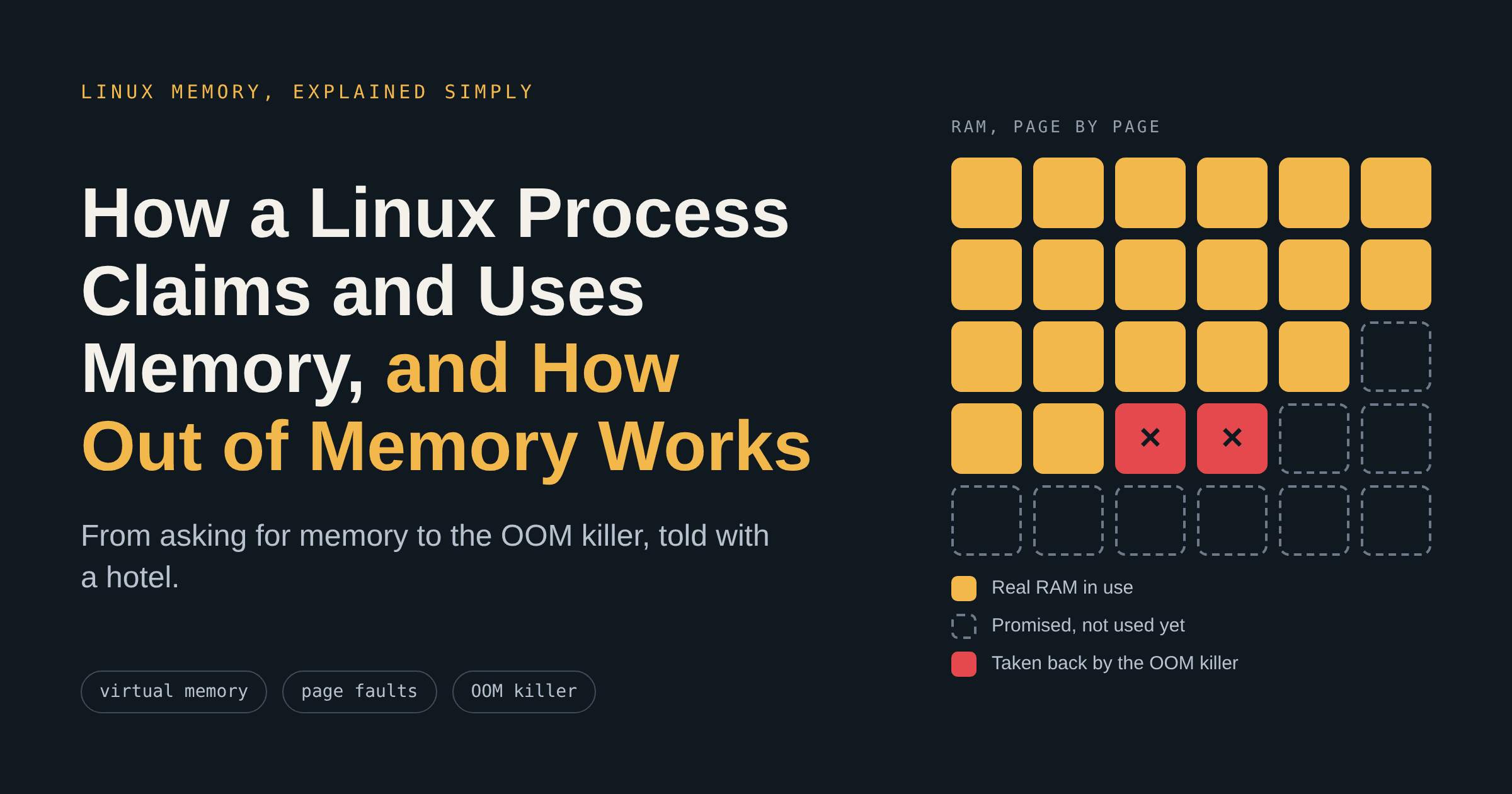
Now the surprise: at this point, no real RAM has been used. The OS only wrote some made-up addresses in the book. Linux even lets programs ask for more memory than the computer has, hoping they will not use it all. This is called overcommit. Tools like top show both numbers: VIRT is what was promised, and RES is what is really sitting in RAM.
3. Demand Paging (Lazy Loading)
The OS gives you real RAM only when you actually use it. It is lazy on purpose, because that saves a lot of RAM.
The hotel does the same. It writes your name next to Room 500, but it does not clean the room or hand over the key until you walk in.
Just a reservation. When a program first asks for memory, the OS only reserves the made-up addresses. No real RAM is attached yet. Ask for 1 GB and you still use almost none.
The page fault. The first time the program reads or writes that memory, the CPU looks in the page table and finds nothing behind the address. It raises an alarm called a page fault.
Allocation on the fly. The OS pauses the program for a tiny moment. It finds an empty piece of real RAM (called a page frame), wipes it clean so old data from another program cannot leak, writes the match in the page table, and lets the program go on. The program never notices.
Here is that moment as a picture:

So only the pages you touch use RAM. Write one byte into a 1 GB block and you pay about 4 KB, not 1 GB. Each new page you touch causes another page fault, so memory use grows slowly as the program fills its space. If the address was never in the book at all, the OS gives no RAM and the program crashes instead.
4. Memory Reclamation (Releasing the Claim)
RAM is limited, so memory has to come back when a program is done with it. In the hotel, this is checkout.
Explicit release. In some languages you give memory back yourself: free() in C and delete in C++. The helper takes the memory back into its pile, and big pieces can go all the way back to the OS.
Automatic cleanup. In Java, Python, Go, and JavaScript, a garbage collector finds objects that nobody uses anymore and frees them for you. It runs on its own, so you never call it. Freed memory may stay in the language's pile for a while before the OS gets it back.
When the program ends. When a program closes, the OS throws away its page table and takes back all the RAM it used, even if the program forgot to give some back. That memory goes into the pool of free memory for other programs.
One warning: if a program keeps asking for memory and never gives it back, its memory use only goes up. This is called a memory leak, and it is the most common road to the next part of the story.
5. When RAM Runs Out: The OOM Killer
What if the hotel is full and one more guest walks in? On Linux, the last-resort helper is called the OOM killer (OOM means out of memory).
Before it gets there, Linux first tries to free memory by itself, starting with the easy things:
Drop the file cache. Linux keeps copies of files in spare RAM to be fast. These copies can be thrown away, because the real files are still on disk.
Save and free changed file pages. Pages that were changed are written to disk first, then freed.
Move cold memory to swap. Memory that has not been used for a while can be copied to disk (called swap) and brought back if it is needed. This only works if swap exists.
Most of the time one of these works, and nobody notices. But if nothing is left to free, Linux calls the OOM killer. It picks one program, sends it a signal called SIGKILL, and takes back its memory. A program cannot catch or ignore SIGKILL, so it gets no time to save its work or write a log.
How Linux picks the victim : Every program gets a score called oom_score, mostly based on how much memory it uses. A setting called oom_score_adj (from -1000 to +1000) can push the score down or up. The highest score is killed. A value of -1000 means never kill this one, and +1000 means kill this one first.
Not the same as your language's own error. Languages like Java have their own out-of-memory error, which fires when the program hits its own limit. The program is still alive then and can react. The OOM killer is different: Linux ends the whole program from the outside, with no warning. Other operating systems deal with low memory in their own ways, and the OOM killer is a Linux feature.
How to Spot an OOM Kill
The usual sign is a program that disappears with no error message and no stack trace. Ask the kernel what happened:
dmesg -T | grep -i -E 'out of memory|killed process'
journalctl -k | grep -i oom
docker inspect <container> | grep -i oomkilled
The log names the program that was killed and how much memory it was using. The exit code is 137, which is 128 plus 9 (the number of SIGKILL). In Kubernetes you will see OOMKilled.
How to Stop It from Happening
Start by looking at the right number. Check RSS, the memory that is really in RAM, and not VIRT:
grep -E 'VmSize|VmRSS' /proc/<pid>/status
Then pick the fix that fits, from the root cause to the safety net:
Fix the cause
Hunt for leaks with a tool for your language (valgrind for C and C++, a heap dump or profiler for Java, Python, Go, and JavaScript). Free what you no longer need. Do not let caches and queues grow forever.
Pick sizes with care
Give a container more memory than the program normally needs. Add RAM or swap if the work truly needs it.
Protect important programs
echo -1000 > /proc/<pid>/oom_score_adj keeps one safe. echo 1000 > ... makes a program the first to go.
Fail early, not late
vm.overcommit_memory=2 makes memory requests fail right away instead of a kill later. Test it first, because it can break programs that count on overcommit.
Restart instead of kill
vm.panic_on_oom=1 restarts the machine so a cluster can replace it.
Step in sooner
Tools like earlyoom and systemd-oomd act earlier. Set an alert at about 80% memory use.
One habit also helps inside your own code: handle a failed memory request calmly. In C, malloc can return NULL. In Java, the program can get an OutOfMemoryError. Catching that and reacting is better than crashing in a strange place.
The Whole Story in One Picture

A program asks for memory, gets a made-up address, receives real RAM only when it uses it, and gives it back when it is done. If the computer runs out, the Linux OOM killer ends one program to save the rest. So watch the memory that is really in use (RSS), leave room under container limits, and remember that a successful memory request is the start of the story, not the end.